Outliner can expose your outlines to local AI agents (such as Claude Desktop or any MCP-compatible clients) over the Model Context Protocol (MCP). This is a Mac-only feature.
Enabling the Server
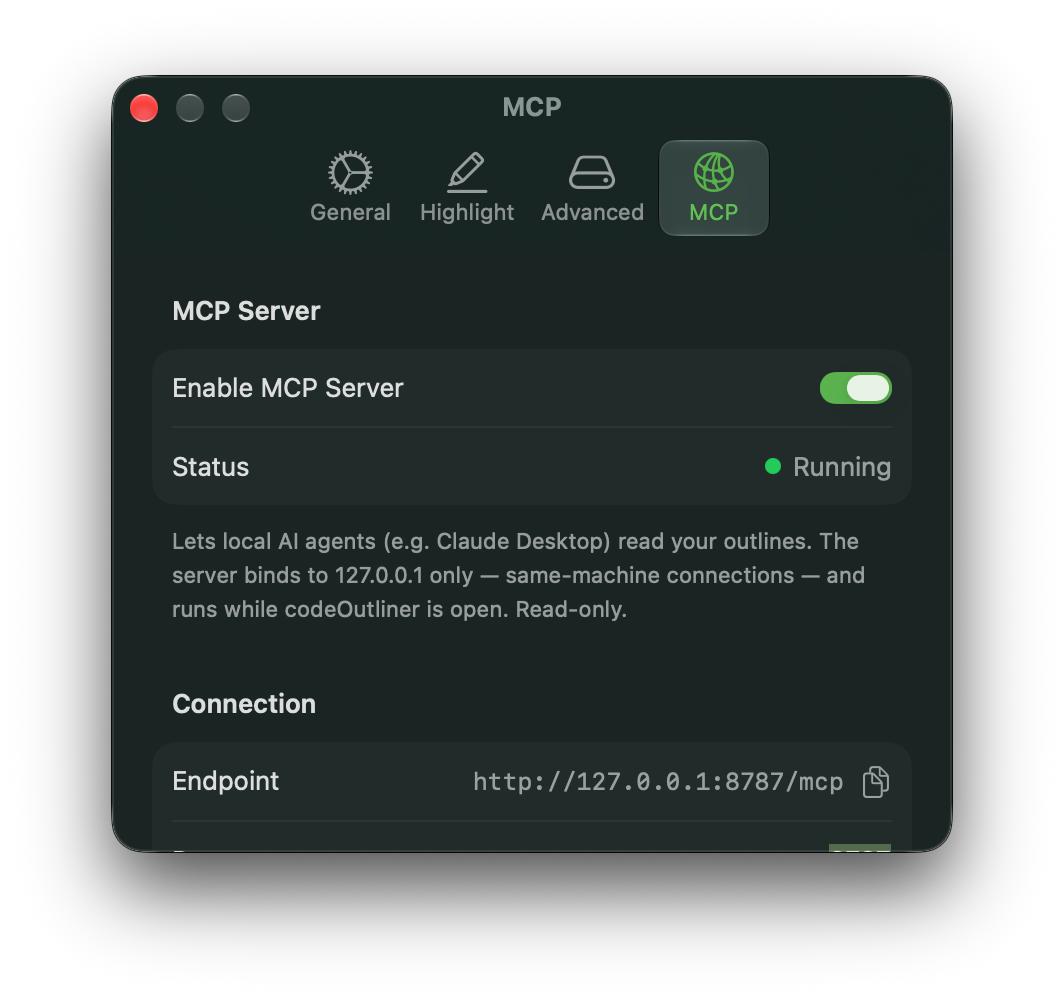
Open Settings → MCP Server and turn on Enable MCP Server. The status indicator shows Running once it's active. The server binds to 127.0.0.1 only — it accepts connections from the same Mac and runs only while Outliner is open.
Connecting a Client
Copy the Endpoint URL shown in Settings and add it to your MCP client's configuration. The port is configurable in the same screen.
- For Claude Desktop
- Settings > Developer > Local MCP servers > Edit config
open claude_desktop_config.json then add "outliner" section under "mcpServers".
{ "mcpServers": { "outliner": { "command": "npx", "args": [ "-y", "mcp-remote", "http://127.0.0.1:8787/mcp" ] } }, ....- Then, restart Claude Desktop
- For Claude CLI (or other Agents that support MCP)
Install Claude CLI
claude mcp add --transport http Outliner http://127.0.0.1:8787/mcp- Run claude
Access Token (Optional)
For an extra layer of protection beyond the loopback restriction, turn on Require access token. A token is generated and shown (with a copy button); regenerate it at any time with Regenerate Token. Clients must send this token to connect.
Allowing Writes
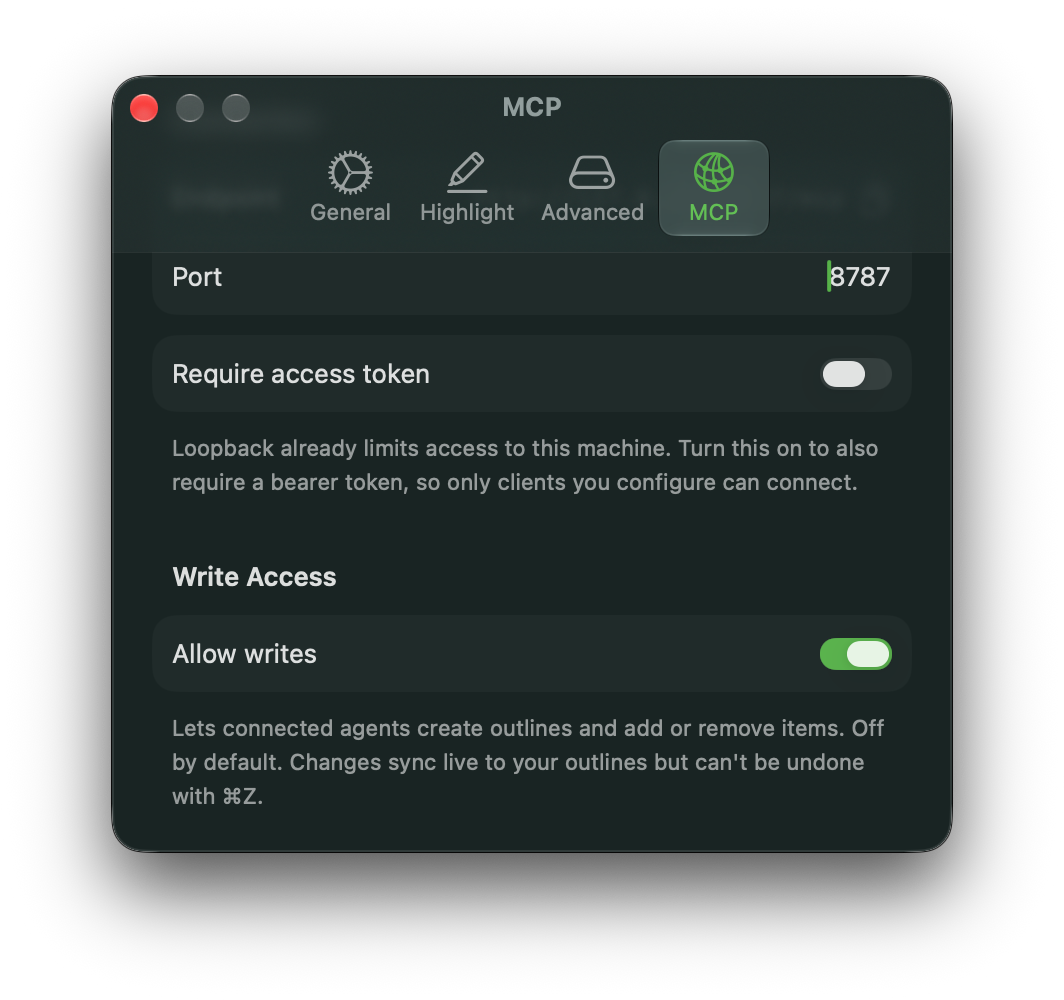
By default the server is read-only — connected agents can read and search your outlines but not change them. Turning on Allow writes lets agents create outlines and add or remove items. Writes made this way sync like any other change but cannot be undone with Cmd+Z, so enable this only for agents you trust.